4 Steps to Cut Your Google Ads Spend by 50% (Using Claude Code)
5 min readSofian
For marketers and business owners running both SEO and paid search, and tired of paying for clicks they’re already earning.
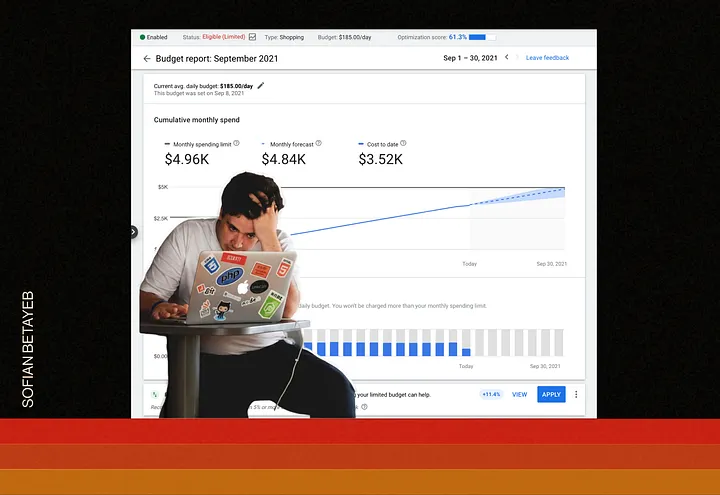
A client and friend asked me to check his Google Ads account. He was looking for ways to optimize his ad spend. I ended up reducing his ad spend by 50%, just by stopping the waste of money on keywords he was already ranking for.
“You’re paying for clicks you’re already earning for free.”
Now, to my surprise, it only took me 30 minutes.
Most businesses running Google Ads are also doing SEO.
Few know exactly where those two things overlap.
That gap is where your budget is leaking, not because your campaigns are badly built, but because no one is comparing both datasets at the same time. SEO lives in one tab, paid search in another, and the person managing ads is rarely the same person watching organic rankings.
To be fair, nobody likes spending a whole day comparing data from Google Search Console and Google ads.
But today, I can count on my friend Claude.
The core idea
If you’re ranking in the top 5 organically for a keyword, you’re already earning those clicks for free.
Paying to appear above your own organic result makes no sense. But it happens in nearly every account because most audits look at Google Ads in isolation. They find low Quality Scores, high CPCs, and underperforming ad groups. Useful, but incomplete. They miss the biggest opportunity: the interaction between what you’re paying for and what SEO already covers.
This method maps both datasets against each other. The output isn’t a list of observations. It’s a prioritised cut list with spend amounts attached, decisions, not findings.
Requirements:
- Google search console account with at least 3 month of data
- Google ads account
- Claude Code or Cowork account
Step 1: Pull your organic data
Three things, no more:
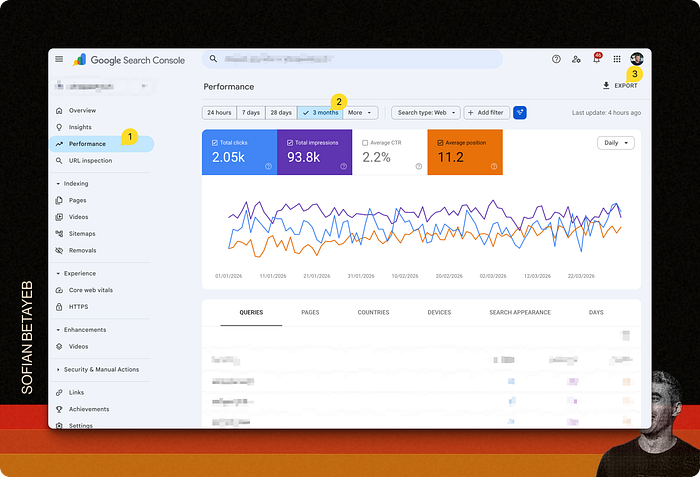
- Google Search Console data
Go to Performance → set your date range (90 days minimum), download as CSV.
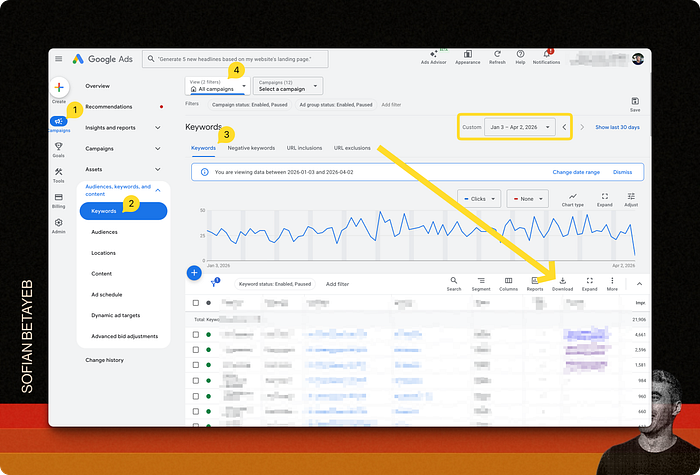
- Keyword report exported from Google Ads (CSV)
Go to Campaign → Keywords → Search keywords, set your date range (90 days minimum), download as CSV.
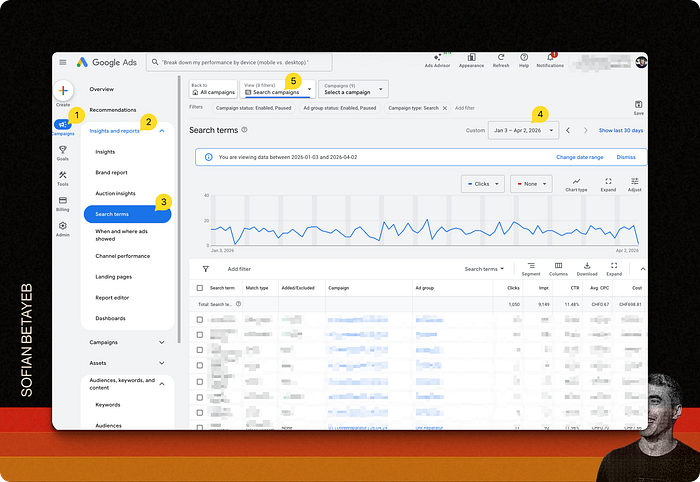
- Search terms report exported from Google Ads (CSV)
Go to Campaign → Insight → Search terms, set your date range (90 days minimum), download as CSV.
That’s it. You already have everything else.
Another way to streamline this process is using the Google Search Console MCP server and the Google Ads MCP server. It will allow Claude Code or Cowork to do the data fetching for you.
Step 2: Map the overlap
Or let Claude do it…
I want to find where my Google Ads spend overlaps with organic rankings so I can cut wasted budget.I'm attaching 3 exports from Google Ads and search console:- [keyword-report.csv] — paid keywords with spend and clicks- [search-terms-report.csv] — actual search terms that triggered ads, with spend and conversions- [gsc-export.csv] — 90 days of organic query data from Google Search Console, including clicks, impressions, and average position.Then do the following:1. Cross-reference paid keywords against organic queries. Flag every keyword where I rank in positions 1–10 organically.2. Separate them into two buckets: top 3 (safe to pause) and positions 4–10 (reduce bids).3. From the search terms report, find every term with spend > 0 and zero conversions. These become negative keywords.4. For each bucket, sum up the total spend at risk.5. Output a prioritised action list: what to pause, what to reduce, what to add as negatives — with spend amounts attached.
Cross-reference your paid keywords against the GSC query list.
Three buckets will emerge. Each one calls for a different action.
Bucket 1 — Top 3 organically
You’re ranking in positions 1–3. Organic will absorb the traffic. These are the safest cuts, pause them first and watch what happens over the next two weeks.
Bucket 2 — Positions 4–10
You rank, but not at the top. Paid still pulls incremental traffic here. Reduce bids rather than pausing. Monitor, then decide.
Bucket 3 — Zero-conversion search terms
This isn’t an overlap issue. This is pure waste. Search terms that triggered your ads, spent budget, and converted nothing. These become exact-match negative keywords today, not next week.
Step 3: Quantify before you cut
Don’t touch anything until you’ve added up the spend in each bucket.
In the account I took as example above, this analysis ran across 726 paid keywords and 2,552 search terms.
“Most marketing audits look at one channel at a time. The waste lives in the gaps between them.”
The breakdown:
- Finding Spend Paid keywords with any organic presence CHF 782
- Keywords ranking top 5 organically CHF 147 S
- earch terms with spend and zero conversions CHF 58
Immediate saving opportunity ~$ 1000
That’s 45.5% of a $ 2,200 quarterly spend, recoverable in week one, with no risk to conversion volume.
Annualised, and with freed-up budget redirected toward terms where paid is the only way in, the compounding efficiency gain pushes past 50% over 12 months. Not a one-time fix. A structural improvement.
Step 4: Make the cuts in Google Ads Editor
Google Ads Editor, the desktop app is the right tool for bulk changes.
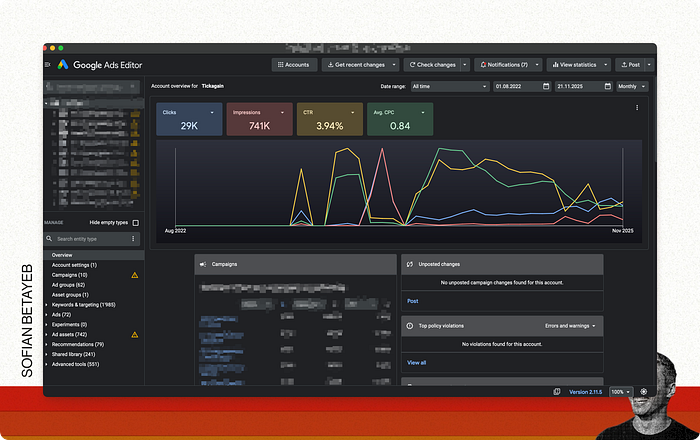
Two actions, in this order:
Negative keywords first. Paste your zero-conversion search terms as exact-match negatives at the campaign level. This stops the bleed immediately, with zero risk to your converting terms.
Pause the organic overlaps second. Filter by keyword, select the ones ranking top 3 organically, and pause. Don’t delete, you want to reactivate fast if something unexpected shifts.
Then set a calendar reminder for two weeks out. Check whether organic clicks absorbed the traffic. Check whether conversions held. If yes, the cuts are confirmed. If a specific term dropped, reactivate it and leave it running.
One thing worth knowing before you start
Not every overlap is a cut.
A keyword ranking #1 organically can still justify paid spend if a competitor is bidding aggressively above your organic result, their ad sits above yours, and some users click the first result they see without scrolling. Brand terms are another exception. Test before you cut.
The goal here isn’t to spend as little as possible.
It’s to stop paying for clicks SEO already covers, and put what’s left toward terms where paid is the only way in.
That’s how you get to 50%.
More in artificial-intelligence


Venture
Write for entrepreneurs, founders, and builders.
Share startup lessons, growth tactics, and founder stories with readers on the same journey.
One free account across In Plain English, Stackademic, Venture, and Cubed.
How it works- Startups & entrepreneurship
- Marketing & growth
- Productivity & leadership
- Founder stories & lessons learned
Sign in
Google or GitHub
Complete profile
Takes a few minutes
Get approved & publish
Start sharing
Why write for Venture?
Entrepreneurship is rarely a straight path. The lessons worth sharing are learned while building.
Comments
Loading comments…