I Tried Vmake for a week, and Now I Can’t Go Back to Editing Videos Manually
Blurry clips, missing captions, zero UGC budget, one AI tool handled all of it
5 min readAkhil Kumar
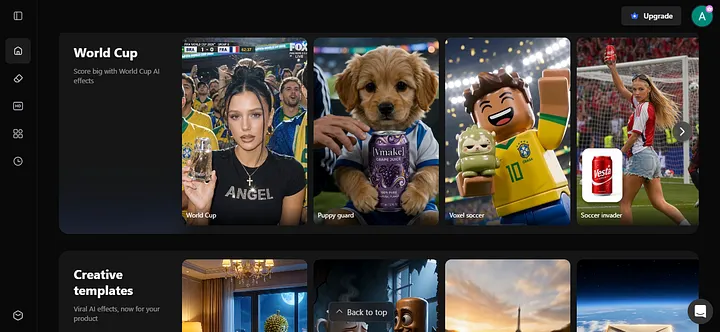
I have been putting off video content for months on my Instagram pages. Not because I don’t have ideas. Not because I don’t have a phone with a decent camera. But because the gap between “raw footage” and “something I’d actually post” felt like a full-time job.
So when I came across Vmake, I went in skeptical. Another AI tool promising to fix everything with one click. Sure.
A week later, I’m writing this, so you can probably guess how it went.
So What Is Vmake, Exactly?
Think of it as an all-in-one AI video studio that lives in your browser. No downloads. No timeline to wrestle with. No YouTube tutorials you have to pause every 30 seconds.
Vmake covers the full video workflow: enhancing footage, removing watermarks, generating UGC-style product videos, creating AI avatar videos, auto-generating captions, and more.
It’s built for small businesses, creators, and e-commerce sellers who need content that actually converts, without a production team behind them.
I tested pretty much everything. Here’s what actually stood out.
The Product Video Generator Replaced My Entire UGC Budget
This is the one that surprised me most.
You drop in a product image, and Vmake generates a short-form UGC-style video ready for TikTok or Reels. No filming. No hiring a creator. No setting up a ring light and hoping for the best.
The output actually looks like something a real person made, not a stock footage slideshow with a logo slapped on it. For e-commerce sellers who want creator-style content without the creator budget, this is the most practical thing I’ve seen in a while.
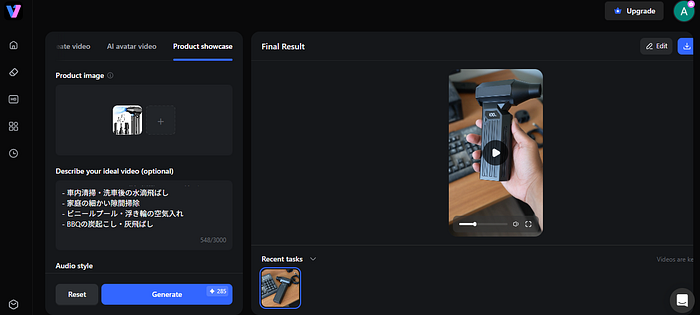
But here’s where it gets interesting. There’s a second mode inside the product video generator that I didn’t expect: you can swap in an AI avatar as the on-screen presenter.
The AI Avatar Mode Solves the Camera-Shy Problem
If you’ve been avoiding video content because you don’t want to be on camera, this is your way out.
Inside the AI avatar generator, you pick an avatar or upload your own photo to create a personalized one, feed it a script, and it generates a talking-head style video with a real presenter delivering your pitch.
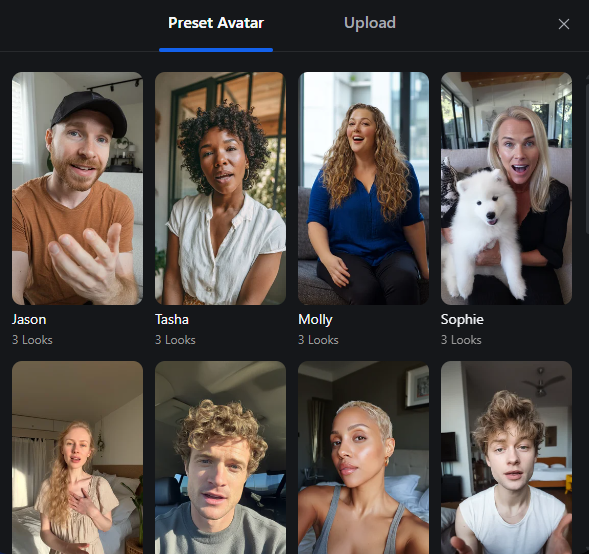
And it doesn’t stop at English either. The generator supports multiple languages, so if you’re selling to audiences in Germany, Japan, Brazil, or anywhere else, you’re covered without hiring a single voiceover artist.
The output is clean enough for product explainers, social ads, and educational content. No filming setup. No reshoots because you stumbled over a word. No wondering if the lighting looks weird.
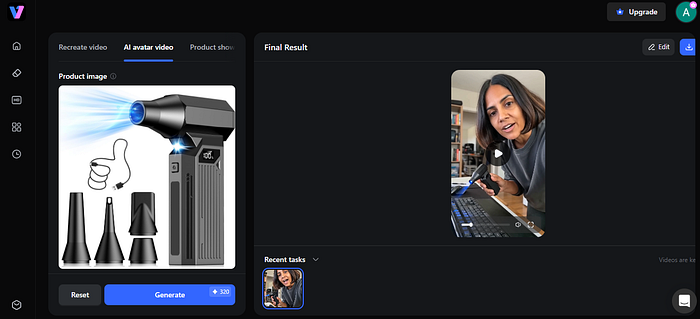
Think of it as the same product video generator, just with a human face added, one that looks like you if you want it to. For solo creators and small teams running content across languages and markets, this mode changes the math entirely.
Auto Captions: Small Feature, Outsized Impact
The auto caption generator is one of those things that seems minor until you realize how much time you were wasting doing it manually, or how many views you were leaving on the table by skipping captions entirely.
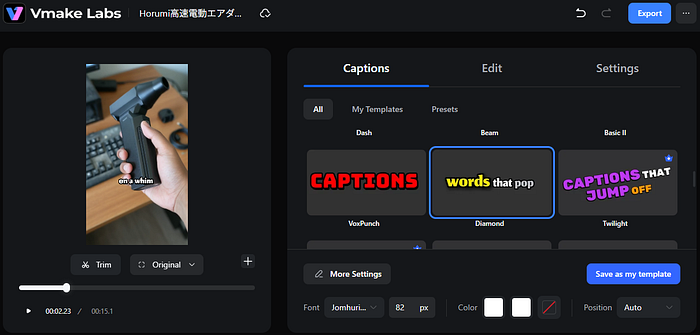
Captioned videos outperform non-captioned ones on basically every platform. Having it automated inside the same tool, instead of jumping to a separate app, is a real workflow upgrade.
The AI Video Enhancer Is Your Last Line of Defense
I have old clips I had completely written off. Grainy, soft, the kind of footage that makes you wonder why you even bothered filming.
I threw one into Vmake’s AI video enhancer mostly as a joke.
It came back sharp. Actually sharp. The kind of quality where you zoom in and nothing falls apart.
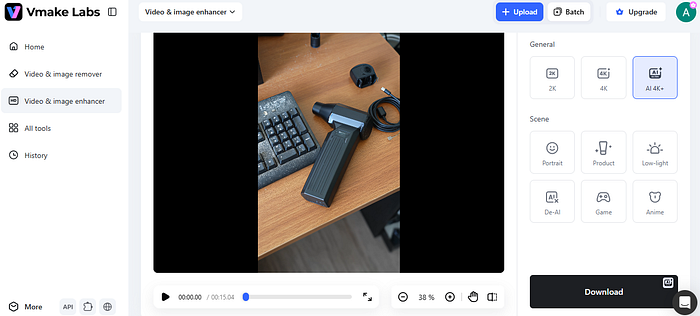
The way it works is surprisingly thoughtful too. Instead of one generic “enhance” button, you pick a mode based on what’s in your video:
- Portrait mode for face-forward, talking head content
- Product mode for e-commerce clips
- Low-light mode for anything filmed in bad lighting
- Game mode for gaming content
- Anime mode, which I tried purely out of curiosity and it’s genuinely impressive
Pick your mode, upload, done. I went back and salvaged three videos I had completely abandoned. That alone made the whole thing worth it.
Is It Actually Easy to Use?
Yes. Almost embarrassingly so.
The interface doesn’t assume you know anything about video production. You’re not adjusting bitrates or messing with export settings.
You upload, pick what you want done, and let it run. I finished my first project faster than I finished writing the brief for it.
It’s free to try, so the only real barrier is the two minutes it takes to make an account.
Bottom Line
If video content has been sitting on your to-do list because the editing feels like too much work, Vmake is the most direct solution I’ve found.
It handles the parts that slow most creators down, enhancement, watermarks, captions, UGC generation, without requiring you to become a video editor to use it.
More in artificial-intelligence


Venture
Write for entrepreneurs, founders, and builders.
Share startup lessons, growth tactics, and founder stories with readers on the same journey.
One free account across In Plain English, Stackademic, Venture, and Cubed.
How it works- Startups & entrepreneurship
- Marketing & growth
- Productivity & leadership
- Founder stories & lessons learned
Sign in
Google or GitHub
Complete profile
Takes a few minutes
Get approved & publish
Start sharing
Why write for Venture?
Entrepreneurship is rarely a straight path. The lessons worth sharing are learned while building.
Comments
Loading comments…