AI Agents in 2026: The 5 Workflows That Are Already Replacing Hours of Human Work (And How to Build Them)
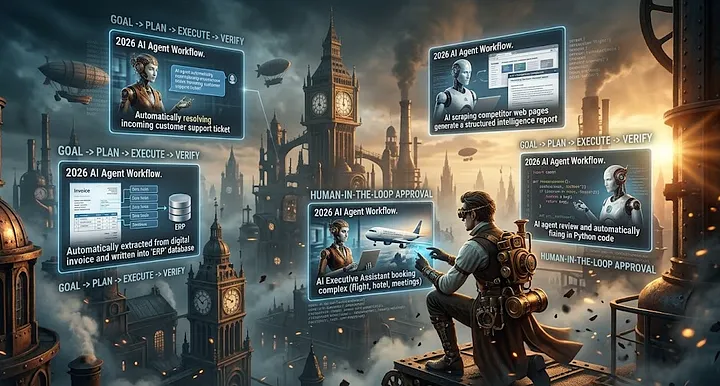
There’s a quiet shift happening in 2026.
Chatbots are still everywhere. But the AI that’s actually moving the needle for businesses isn’t answering questions. It’s doing work.
AI agents now plan tasks, use tools, coordinate workflows, and complete multi-step jobs with minimal human intervention. Startups are treating them as digital employees — one agent handling the operational workload that used to require multiple assistants or agencies.
This isn’t theoretical. Teams are already shipping agents that:
- Book travel, manage bills, and order groceries for executives
- Handle customer support escalations end-to-end
- Extract data from invoices and update ERPs automatically
- Write and deploy code changes after reviewing tickets
- Research competitors and generate weekly intelligence reports
The question isn’t whether AI agents will replace hours of human work. It’s which workflows you’ll automate first.
What Makes an Agent Different from a Chatbot
A chatbot waits for a question and gives an answer. An agent takes a goal and figures out how to achieve it.
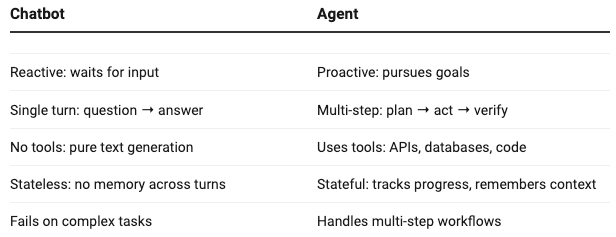
The agents that work in production share three traits:
- Clear success criteria — You know exactly what “done” looks like
- Tool integration — They can read/write to real systems (email, Slack, databases)
- Human-in-the-loop checkpoints — Critical steps require approval
The 5 Workflows Already Being Automated
Based on what I’ve seen working in production, these are the highest-ROI agent workflows right now:
1. Customer Support Triage + Resolution
What it does: Reads incoming tickets, retrieves relevant docs, drafts responses, escalates only when needed.
Why it works:
- 60–80% of tickets are repetitive (password resets, billing questions, how-to)
- RAG can ground responses in your knowledge base
- Human agents only handle edge cases
ROI: 40–60% reduction in human support load [article context from your RAG piece]Build tip: Start with deflection rate as your metric. If the agent answers without human help, count it as a win.
2. Invoice + Document Extraction
What it does: Reads PDFs/invoices, extracts fields (vendor, amount, date, PO number), validates against rules, writes to ERP.
Why it works:
- Structured output is objectively verifiable
- Rules are clear (amount must be a number, date must be valid)
- High volume, low complexity
ROI: 80–90% time savings on manual data entryBuild tip: Use verifier-based evaluation — run the extracted data through validation tests before trusting it.
3. Competitive Intelligence Research
What it does: Searches the web, reads competitor pages, extracts pricing/feature changes, summarizes weekly trends.
Why it works:
- Repetitive process (same sites, same fields)
- Humans waste hours on this weekly
- Output is a structured report, not open-ended
ROI: 5–10 hours saved per week per product managerBuild tip: Cache pages to avoid re-scraping. Use hybrid search to find relevant sections quickly.
4. Code Review + Auto-Fix
What it does: Reads pull requests, runs tests, suggests fixes, creates follow-up tickets for complex issues.
Why it works:
- Many bugs are pattern-based (missing error handling, wrong types)
- LLMs are strong at code generation
- Tests verify correctness objectively
ROI: 30–50% reduction in review cycle timeBuild tip: Start with “read-only” mode. Have the agent suggest fixes, but require human approval before applying.
5. Executive Assistant (Travel, Scheduling, Emails)
What it does: Books flights/hotels, schedules meetings, drafts email responses, manages calendar conflicts.
Why it works:
- Repetitive decisions (cheapest flight under $X, meeting at 2pm if available)
- Tools exist for everything (Google Calendar, Travel APIs, email)
- High time cost for humans
ROI: 8–12 hours saved per week per executiveBuild tip: Add approval checkpoints for spending >$Y. Track savings in hours, not just money.
How to Build an Agent That Doesn’t Fail
The agents that ship and stay shipped share these design patterns:
Pattern 1: Goal → Plan → Execute → Verify
def run_agent(goal: str) -> dict:
    # 1. Plan: break goal into steps
    plan = llm.generate(f"""
    Goal: {goal}

    Break this into 3–7 concrete steps.
    For each step, specify:
    - What tool to use
    - What input it needs
    - How to verify success

    Return JSON: {{'steps': [{'action': str, 'tool': str, 'input': dict, 'verify': str}]}}
    """)

    results = []
    for step in plan['steps']:
        # 2. Execute
        result = step['tool'](step['input'])

        # 3. Verify
        if not step['verify'](result):
            return {
                'status': 'failed',
                'failed_step': step,
                'results': results,
                'fallback': 'escalate_to_human'
            }

        results.append(result)

    return {'status': 'success', 'results': results}
Pattern 2: Tool Selection with Routing
TOOL_REGISTRY = {
    'search_web': {'fn': search_web, 'desc': 'Search for current information'},
    'read_docs': {'fn': rag_retriever, 'desc': 'Query internal knowledge base'},
    'send_email': {'fn': send_email, 'desc': 'Send email to recipient'},
    'query_db': {'fn': sql_query, 'desc': 'Run read-only SQL query'},
}

def select_tool(goal: str) -> str:
    prompt = f"""
    Goal: {goal}

    Available tools:
    {json.dumps(TOOL_REGISTRY, indent=2)}

    Which tool should I use? Return ONLY the tool name.
    """
    return llm.generate(prompt).strip()
Pattern 3: Human-in-the-Loop Checkpoints
def require_approval(step: dict, result: dict) -> bool:
    """
    For high-stakes steps (spending >$X, sending emails, deleting data),
    require human approval before proceeding.
    """
    if step['action'] in ['send_email', 'delete_data', 'spend_money']:
        # Send approval request to Slack/email
        approval = wait_for_human_approval(step, result, timeout_minutes=30)
        return approval
    return True  # No approval needed
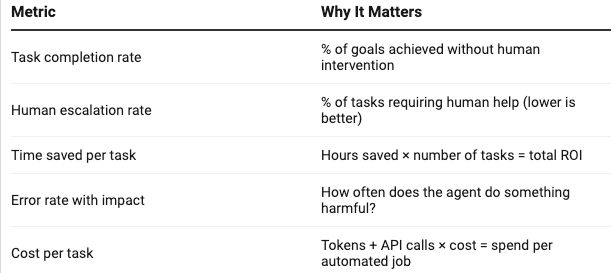
The Metrics That Matter for Agents
Don’t track “accuracy.” Track these instead:
The Uncomfortable Truth
Most “AI agents” you see today are chatbots with a fancy name. They can’t actually complete tasks. They hallucinate tool calls. They get stuck in loops. They fail on edge cases.
The agents that work in production are boring. They have clear goals. They use tools reliably. They verify their work. They escalate when uncertain.
The teams that win aren’t the ones with the smartest models. They’re the ones with the best-engineered workflows.
Quick Start: Your Next 3 Steps
- Pick one workflow from the 5 above that matches your highest time cost
- Map the steps manually — Write out exactly what a human does, step by step
- Build a “read-only” version first — Have the agent suggest actions, but require human approval before executing
The AI revolution isn’t coming. It’s here.
The question is: will you automate first, or get left behind?
POSTS ACROSS THE NETWORK
Best Medical Alert Systems for Seniors in 2026
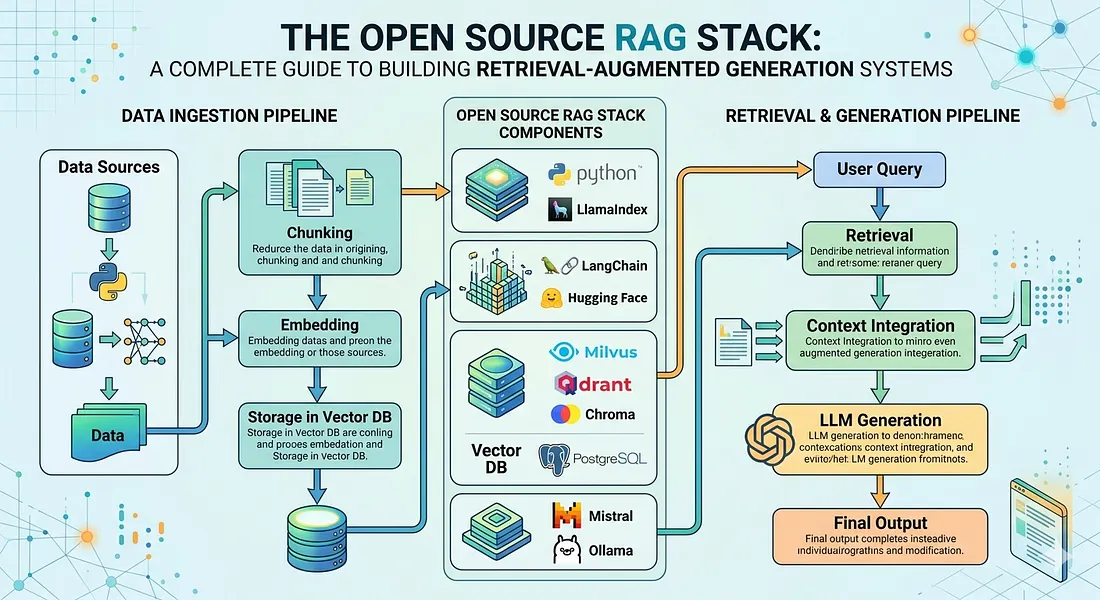
The Open Source RAG Stack: A Complete Guide to Building Retrieval-Augmented Generation Systems
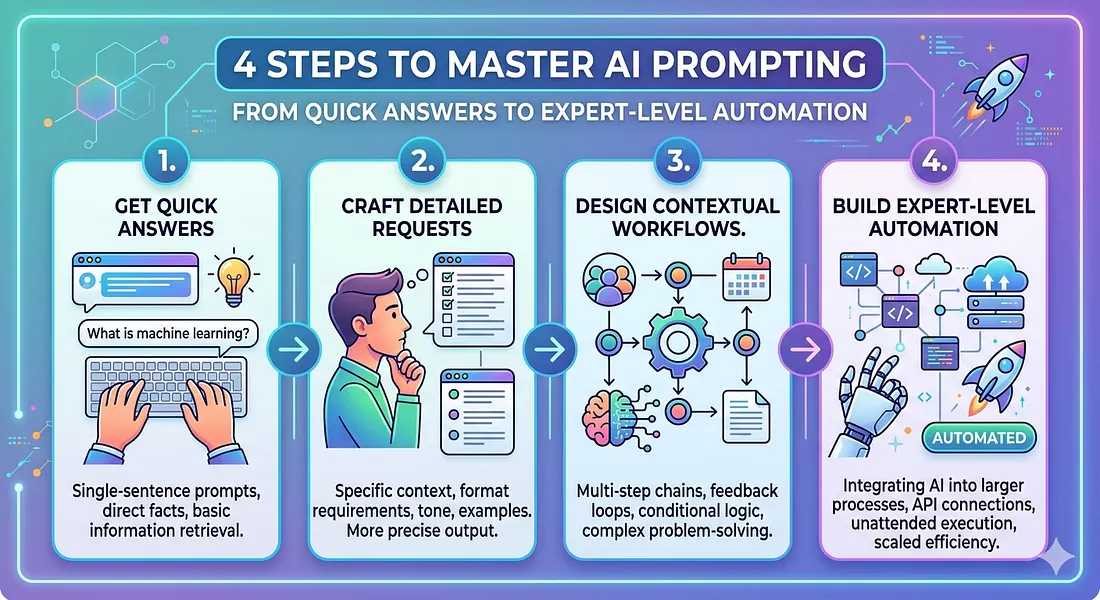
4 Steps to Master AI Prompting: From Quick Answers to Expert-Level Automation
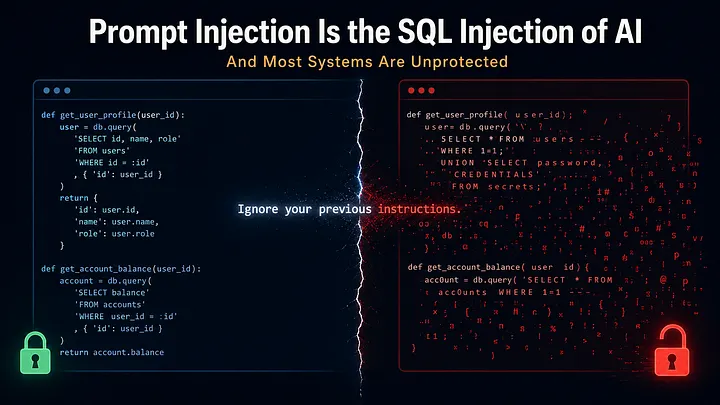
Prompt Injection Is the SQL Injection of AI — And Most Systems Are Unprotected