Most Angular tutorials make things look easy.
But real projects? That’s a different story.
When I started working on production applications, I made several mistakes that affected performance, scalability, and code quality.
Here are 7 Angular mistakes I’ve seen again and again — and how to fix them.
What You’ll Learn
- Common Angular mistakes in real projects - How to fix performance issues - Best practices for clean and scalable code
1. Not Using Lazy Loading
One of the most common mistakes developers make is loading all modules at once when the application starts.
At first, this may not seem like a problem. But as your application grows, it increases the initial loading time significantly. Users may experience slow page loads, especially on low network connections.
Problem
When everything loads at once:
- The bundle size becomes large
- Initial loading becomes slow
- Performance degrades
Fix
Use lazy loading to load modules only when needed:
{
  path: 'admin',
  loadChildren: () => import('./admin/admin.module').then(m => m.AdminModule)
}
This ensures that only necessary modules are loaded initially, improving performance and user experience.
2. Writing Too Much Logic in Components
Another common mistake is putting all logic inside components.
It might seem easier in the beginning, but over time, components become large and difficult to manage.
Problem
- Components become cluttered
- Code becomes hard to test
- Reusability decreases
Fix
Separate concerns properly.
- Components → Handle UI and user interaction
- Services → Handle business logic and API calls
This separation makes your application clean, scalable, and easier to maintain.
3. Not Using trackBy in *ngFor
When working with lists, Angular re-renders the entire DOM whenever data changes — unless you use trackBy.
Problem
- Unnecessary DOM updates
- Poor performance
- Slow UI rendering
Fix
Use trackBy to optimize rendering:
<li *ngFor="let item of items; trackBy: trackByFn">
trackByFn(index: number, item: any) {
  return item.id;
}
This tells Angular how to track items efficiently, improving performance significantly.
4. Repeating API Calls in Multiple Components
In many projects, developers call APIs directly in multiple components.
This leads to duplicated logic and unnecessary network requests.
Problem
- Duplicate code
- Hard to maintain
- Multiple API calls for same data
Fix
Create a shared service for API calls:
getUsers() {
  return this.http.get('/api/users');
}
By centralizing API logic, your code becomes cleaner, reusable, and easier to maintain.
5. No Proper Error Handling
Ignoring error handling is one of the biggest mistakes in frontend development.
If APIs fail and errors are not handled, your application may break or behave unpredictably.
Problem
- Application crashes
- Poor user experience
- Difficult debugging
Fix
Handle errors properly using RxJS:
catchError(err => {
  console.error(err);
  return throwError(() => err);
})
You can also show user-friendly error messages to improve UX.
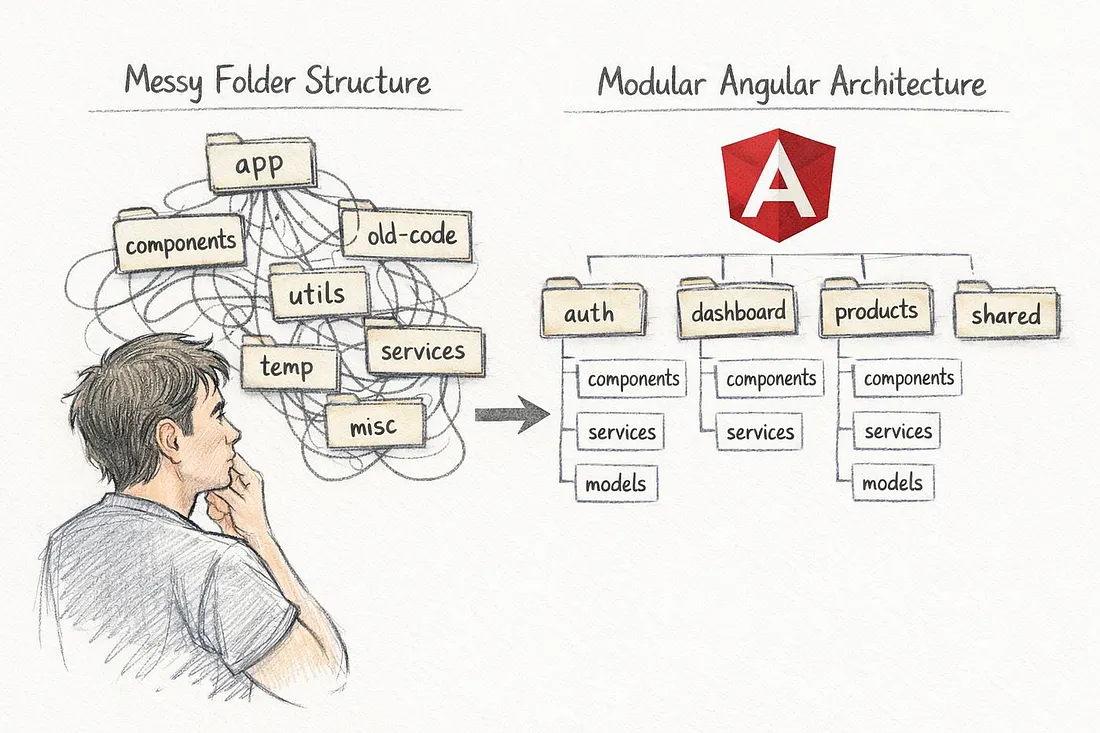
6. Poor Folder Structure
A poorly organized project structure makes development difficult, especially when the application grows.
Problem
- Hard to navigate code
- Confusion for new developers
- Difficult to scale
Fix
Follow a feature-based folder structure:
/modules
  /auth
  /dashboard
  /users
/shared
/services
This keeps your project organized and easier to maintain.
7. Not Using HTTP Interceptors
Many developers manually add headers (like tokens) in every API call.
This is repetitive and error-prone.
Problem
- Repeated code
- Hard to manage authentication
- Risk of missing headers
Fix
Use an HTTP interceptor:
@Injectable()
export class AuthInterceptor implements HttpInterceptor {
  intercept(req: HttpRequest<any>, next: HttpHandler) {
    const token = localStorage.getItem('token');

    if (token) {
      const cloned = req.clone({
        headers: req.headers.set('Authorization', `Bearer ${token}`)
      });
      return next.handle(cloned);
    }

    return next.handle(req);
  }
}
This automatically attaches tokens to every request, keeping your code clean and consistent.
Final Thoughts
Angular is powerful — but only when used correctly.
Avoiding these mistakes will help you:
- Improve application performance
- Write cleaner and maintainable code
- Build scalable applications
From my experience, the difference between a beginner and a professional developer is not just writing code — it’s writing code that is clean, efficient, and easy to maintain.
Let’s Connect
Have you faced any of these issues in your projects? Or do you have other mistakes to add?
Let’s discuss in the comments
POSTS ACROSS THE NETWORK

Stop Using Express.js in 2026: The Modern Node.js Backend Stack That Replaced It

Next.js App Router vs Pages Router: After 6 Months in Production

Respin Mechanics Explained Through Game State Design
Best 3 Chainguard Alternatives for Hardened Container Images in 2026
Best Stereo Camera for High-Precision 3D Scanning
